

Made With CloneCut
Six real clones from this studio, each from a 5-second clip and one photo. Tap See original for the clip it started from.

How CloneCut Works
- 1

Upload the viral video
Save the TikTok, Reel or Short you want to copy and upload it as an MP4 or MOV, 3 to 15 seconds long.
- 2

Add one to three photos
Photos of the new star: you, your pet or your product. Different angles of the same subject give a closer match.
- 3

Get your clone
CloneCut keeps the original motion, camera moves and timing and swaps in your subject. Download the MP4 in minutes.
Before and After
Drag the handle across a real job: the clip we uploaded on the left, the clone the studio returned on the right, playing in sync. Nothing is retouched; the files are only compressed for the web.
A new man in a shirt and tie takes over the pose. The bedroom, the light and the camera stay as they were.
Made with CloneCutStandard 720p · 5 s clip · 5 credits
Every person in these examples is AI-generated, and all footage is our own.
Start From a Viral Clip
No clip saved yet? Pick one of ours to try the studio. It loads as your source video, so all you add is a photo of the new star.

What You Can Clone
One viral clip, three ways to use it. The motion and camera stay; the star changes.


Swap the person
Put yourself, a friend or a team member into a trending dance, skit or transition. The face, hair and outfit come from your photos; the moves come from the original clip.


Swap your pet
Turn a viral cat or dog clip into a video of your own pet. The clone matches the breed, fur color and size from your photos.


Swap the product for UGC ads
Found an ad format that works? Replace the product in the creator’s hands with yours, keeping the hands, timing and scene, and test it as a UGC ad.
What Is CloneCut?
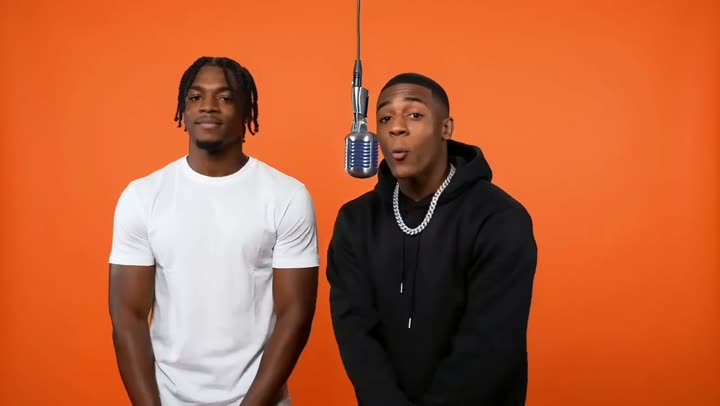

A clone cut takes a video that already went viral and recasts it: the same dance, transition or product demo, with a new person, pet or product in the lead. CloneCut AI does that from a short clip and a few photos, with no prompt to write and no editing timeline.
Under the hood a video-edit model reads every frame of your clip, keeps the motion, camera path, lighting and background, and redraws the main subject from your photos. Up to three photos of the same subject from different angles give the best match. You can keep the original sound, ask for one extra change in plain words, and pick Standard 720p or HD 1080p.
The CloneCut idea started as an agent from Capafy. This site is a separate, independent clone studio that works in any browser and charges per second of video.
CloneCut AI Pricing
A clone costs 1 credit per second in Standard and 2 in HD, so a 5-second clip is 5 or 10 credits. Start with a one-time pack or take a monthly plan; there are no free credits.
CloneCut AI FAQ
Is CloneCut AI free?
No. There are no free credits, because every clone costs us real compute. The one-time Try pack is $9.90 for 25 credits, about five 5-second clips in Standard. A clone costs 1 credit per second in Standard (720p) and 2 per second in HD (1080p), and a failed render returns its credits automatically.
Is there a CloneCut app or APK?
No. CloneCut AI runs in the browser on your phone or computer, so there is nothing to install. We do not publish an Android APK or an App Store app; treat any download that uses our name as unofficial.
Can I use CloneCut videos commercially?
Yes, as long as you have the rights to the source video, its sound and the photos, and the people in them agreed. Reposting someone else’s clip with a swapped face for an ad usually needs their permission; using your own footage, or footage you licensed, is the safe route.
Is this the official Capafy CloneCut?
No. CloneCut AI (clonecutai.io) is an independent tool and is not affiliated with Capafy, which published the original CloneCut agent, or with TikTok. We built our own clone studio on a video-edit model and sell it under our own plans.
How long can my video be, and which formats work?
Upload one MP4 or MOV between 3 and 15 seconds and up to 30 MB. Longer clips need a trim first. The clone keeps the framing and length of your clip, in 720p or 1080p, and can keep its original sound.
What if the result is bad?
If a render fails, its credits come back on their own. If a finished clone clearly did not work, for example the old face is still there, report it from My videos within 7 days. We review every report and return the credits, or refund what you paid for that video to your card if it was paid with a one-time pack.
Whose videos and photos can I use?
Your own, or ones you have permission to use, with the consent of every person shown. No celebrities or public figures, no minors and nothing meant to deceive or harass. Pets and products are welcome.
Still have a question? support@clonecutai.io
CloneCut AI is an independent tool and is not affiliated with Capafy.